Quick Answer
Relevant documents vanish after a date filter when the cull runs in local time against UTC-stored timestamps. Items stamped within hours of a range boundary shift a calendar day and drop out silently.
AI review can hide the gap. A 2025 EDRM practitioner piece warns that many newer generative AI tools lack the error logging needed to confirm which files they analyzed. No log, no proof. Before producing, check every document dated within a day of each boundary against its stored UTC value.
Key Points
- Meridian Discovery showed an e-mail dated 04/30/2009 at 9:05 PM PDT falling outside a 1/1/2009 to 4/30/2009 range once it was culled in Eastern Time.
- Harold Burt-Gerrans of Epiq Canada wrote in 2019 that processing output is "typically just a date and time, without UTC reference," so the shift leaves no visible trace.
- The Sedona Conference's April 2025 draft commentary on collaboration data says processing by UTC "may be preferred" when chat participants sit in different time zones.
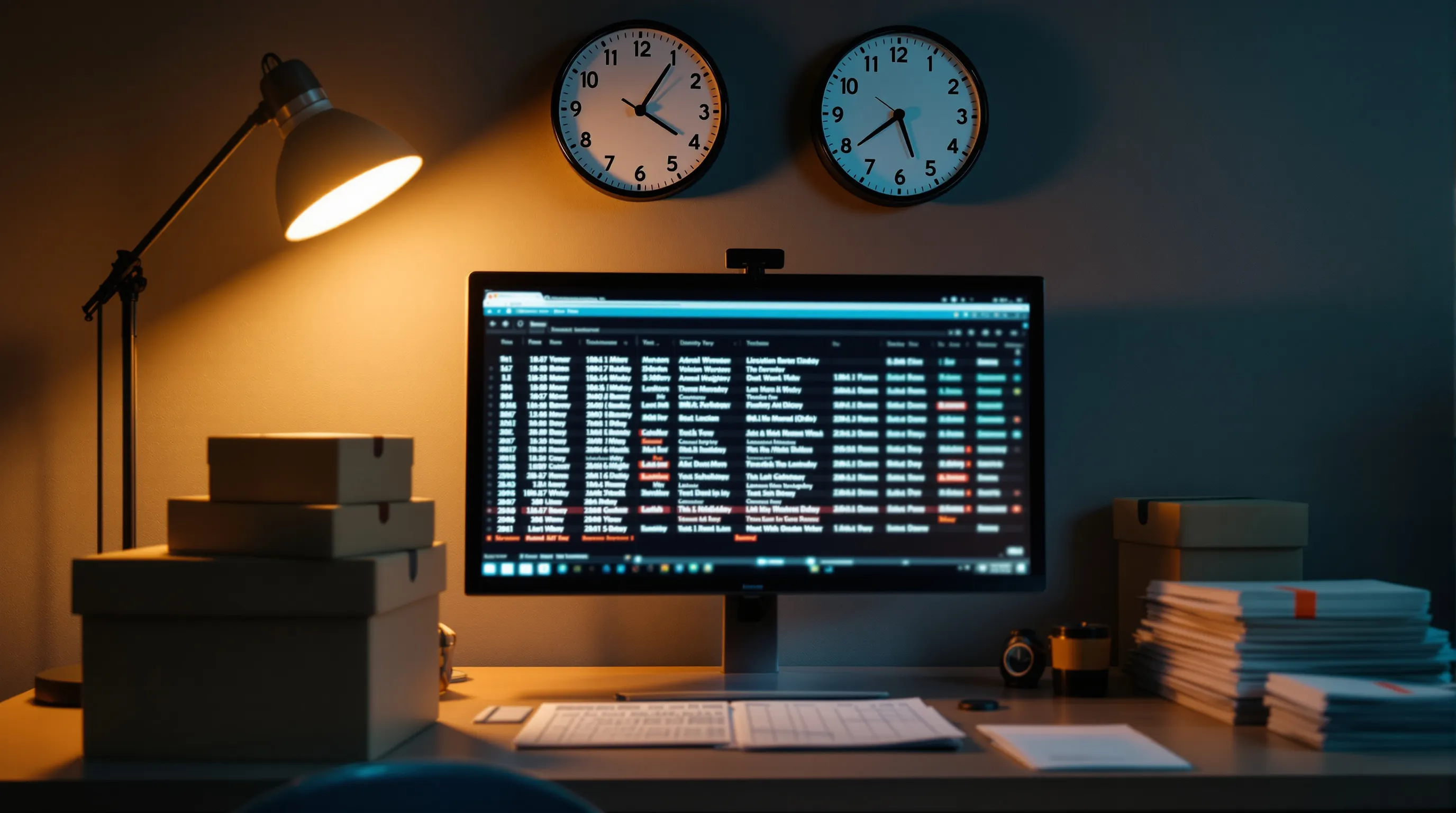
One document, two clocks: the processing time zone decides which side of a date range it lands on.
Cutting review cost starts with a cull you can trust. Many AI review tools often analyze only extracted text, so a date filter can run blind to the metadata that decides inclusion.
Review cost and cull accuracy are tied together. Every document a date filter wrongly drops is one nobody reviews, and that can look like savings. It is not. It is an under-production waiting for the other side to find it.
The risk sharpens with generative AI. These tools trade field-level precision for meaning and context, and practitioners warn that the trade can produce misread dates and incomplete analysis that nobody notices. A reviewer often has little visibility into which metadata fields a tool actually read.
In this article, I walk through three things:
- where a document's timestamp is stored, and why two systems can disagree about its calendar day;
- how to tell whether a date cull dropped responsive material, which is the same question you should ask about any vendor's processing exceptions;
- how to recover what fell out, and how to write the time zone into your processing terms.
For the drafting step, The Sedona Conference publishes a compilation of ESI protocols that parties have filed in litigation. I would read a few before negotiating your own. Platform choice matters as well, whether you run Relativity or a lighter tool, because every buyer faces the same test: can the system show you which documents a filter left out?
Most e-discovery software makes someone pick a time zone before it can display a single extracted timestamp, whether or not anyone writes that choice down. The time printed on a processed e-mail may not match the local time its sender or recipient actually saw.
Date-range culling is the step that removes every document outside an agreed window before review begins. It looks mechanical. It is not.
Consider one published e-discovery test. An e-mail dated 04/30/2009 at 9:05 PM PDT sat inside a 1/1/2009 to 4/30/2009 range by any ordinary reading. Culled in Eastern Time, it was read as 5/1/2009 12:05 AM EDT and fell outside the range. No error appeared. No exception report fired. One responsive e-mail was simply gone.
Current guidance on collaboration data already treats the processing zone as a deliberate choice, recommending local time when every participant shares a zone and UTC when they do not. I agree with that framing, and in my view the risk is that most culls never make the choice out loud. Newer AI review tools compound it, because many give practitioners little visibility into which metadata fields they actually read.
So the first question is not whether your filter was correct. It is which clock the filter was reading.
Where do the timestamps actually live?
Most email and Office timestamps are stored in UTC, and processing converts them into one chosen time zone. Word files also carry their own creation and modified dates inside the file.
Before I trust any date-range cull, I check three things:
- What the source stores. UTC, UTC with an offset, or bare local time.
- What zone processing applied. Which zone was chosen at ingestion, and whether it can still change.
- What the filter compares. The converted local value, or a preserved UTC field.
UTC (Coordinated Universal Time) is the single reference clock most systems use to record when something happened. Meridian Discovery documents that Microsoft Outlook stores e-mail dates in UTC and displays them in the reader's local zone. Most Office documents do the same. In Meridian's test, a Word document created 4/16/2012 at 1:22 PM PDT was stored internally as "2012-04-16T20:22:00Z", which is 8:22 PM UTC.
File systems split. NTFS stores UTC. FAT stores local time with no offset at all.
Meridian's file test shows what that split does. Two files were created at the same instant, 06/01/2004 at 9:32:15 PM PDT, one on FAT32 and one on NTFS. Viewed in Eastern time, the FAT32 file showed 06/01/2004 9:32:15 PM and the NTFS file showed 06/02/2004 12:32:15 AM. Same moment. Two calendar dates.
Where the offset disappears
Harold Burt-Gerrans of Epiq Canada wrote in 2019 that native email typically stores time "in either UTC or local time with a UTC offset," while processing output is "typically just a date and time, without UTC reference." Nuix Workbench takes a different route: it keeps UTC plus an offset based on an Evidence Source Timezone, and can apply a separate Investigator Timezone for display. Some platforms make it permanent: LAW and Relativity lock the zone at ingestion, and extracted text and native renderings stay converted to it.
The common assumption is that a date filter reads the date a custodian saw on screen. It does not. It reads whatever value processing wrote, and a comparison of 5 sources shows that value can come from several clocks: the sent date, a mail server's routing stamp, a cloud upload time or a file system date. Chat data adds a further layer, since guidance on collaboration platforms favors UTC processing when participants sit in different zones.
This is the same family of silent loss as OCR errors that drop documents from search. Nothing errors out. A file conversion or transfer can also alter metadata before any filter runs.
It is also why Relevant e-Discovery is built to be operable and affordable for a solo or small firm on a single messy matter, without an administrator. A small team still has to see the time zone decision, because nobody else will.
Summary: for each custodian, ask which of these storage types the data uses and whether processing will keep the original offset or overwrite it.
Which documents does a time zone quietly push out of a date range?
An email sent at 9:05 on an April evening, Pacific time, can land inside your date range or outside it. Nothing about the email changes. Only the clock reading it does.
A digital forensics firm used one such email, sent late on the last day of a 2009 date range, to show how a cull goes wrong. Culled on Eastern Time, the email slipped into May. No search term failed. The filter worked correctly on a value that had already been converted.
One email, two answers
- Read on Pacific time: 04/30/2009, 9:05 PM. Inside the range.
- Read on Eastern time: 5/1/2009, 12:05 AM. Outside the range.
Range 1/1/2009 to 4/30/2009, from a digital forensics firm's 2012 explainer.
The documents at risk sit within hours of a boundary and come from custodians whose clocks differ from the processing zone. Reverse the arithmetic and a sender east of that zone can lose a document at the start of the range. The firm put it plainly: "the selected time zone may determine whether or not a document falls within the relevant date range."
Re-running the cull against UTC sounds like a full repair. For many files, it is. Some files, though, never had a UTC value to go back to.
The same firm created two files at 9:32:15 PM Pacific on 06/01/2004, one on a FAT32 drive and one on NTFS. Viewed on Eastern time, the NTFS file moved to 12:32:15 AM the next day. The FAT32 file did not move. NTFS records UTC, so software can convert it. FAT stores "local time without a time offset," so there is nothing to convert, and no processing setting can reveal which zone its clock was set to. Someone has to establish that from outside the file.
Email is on firmer ground. Under RFC 5322, the internet message standard, the Date header states its offset from Coordinated Universal Time. A special zero offset signals that "the date-time contains no information about the local time zone," which is worth noticing in a header.
Scans and pre-imaged documents are the weakest case. In a 2019 practitioner forum thread, an employee of one review platform said its system stores UTC yet asks for a zone before ingestion, because such files "don't have relevant time metadata / timestamps to use." Their dates are read from the text, and the chosen zone turns them into "a best-guess of an actual UTC timestamp."
| Where the date comes from | How time is stored | Can a re-cull find the true moment? |
|---|---|---|
| Native email | UTC, or local time with a UTC offset | Yes, if the value was kept |
| Most office documents and NTFS file dates | UTC | Yes, if the value was kept |
| FAT file dates | Local time, no offset | Only if the original zone is known from elsewhere |
| Scans and pre-imaged documents | Dates read from text, converted to a best-guess UTC | Only as good as the zone chosen at intake |
A second problem is whether anyone can see the conversion later. The same thread's original poster reported that two widely used processing tools fix the zone at ingestion, where it gets "locked in," and the converted time in extracted text and native renderings "cannot be changed." Harold Burt-Gerrans, a director of e-discovery and computer forensics at a Canadian provider, wrote in 2019 that native email keeps UTC or an offset, "But the output from processing is typically just a date and time, without UTC reference." A reviewer seeing 12:05 AM on May 1 cannot tell the email was dated April 30.
The conversion does leave traces. The forensics firm noted that when email hashes use local time, copies of one email processed in different zones "would not be treated as duplicates." Burt-Gerrans showed threads falling out of sequence when custodians are processed in their own zones: "In this case, John replied in 1 minute, not 12 hours." Neither symptom proves a cull dropped anything, but either one is a reason to check.
Seen side by side, the dropped documents share one trait: the moment each one records was translated, guessed or left unlabeled before the filter ran. Reversing a drop depends on what survived intake: a per-document UTC value, a record of the chosen zone and, for FAT files and scans, independent knowledge of where the clock was. The forensics firm calls normalizing to UTC and capturing each custodian's offset "common practice" in matters with several time zones. The Sedona Conference's 2025 draft commentary on collaboration data suggests local processing for chat when all participants share a zone, and says UTC "may be preferred" when they do not.
Before you trust a date cull
- List each custodian's time zone beside the processing zone, then pull documents dated within hours of either boundary from custodians whose zones differ.
- Separate files dated from FAT media or from document text, such as scans, and ask how their zone was established.
- Ask whether the zone is fixed at ingestion, and whether the review database keeps the processing zone and a per-document UTC field.
- Treat identical emails that failed de-duplication, or threads that read out of order, as a cue to check time zone handling.
- For chat spanning zones, ask whether the protocol processes in UTC, as the Sedona draft suggests.
How we checked this
We used a digital forensics firm's technical explainer, an article by an e-discovery director, a 2019 practitioner forum thread, a blog summary of the Sedona Conference's public comment draft on collaboration data, and the RFC 5322 email standard. None of the figures come from our own data. The forensics firm's examples are demonstrations it built in 2012 and 2004, not cases from real matters. The forum posts describe how individual people used specific tools in 2019. The Sedona text is a draft released for public comment. We sell AI e-discovery software that processes and culls documents, so we have a stake in how readers judge time zone handling. Still unknown: how often boundary drops happen in real productions. None of our sources measured that.
- Digital forensics firm, explainer on time zones in e-discovery, April 17, 2012.
- Harold Burt-Gerrans, Forensic Focus, article on time zones and threading in eDiscovery, November 5, 2019.
- r/ediscovery, forum thread on how processing tools handle time zones, January 14, 2019.
- Michael Berman, post on the Sedona collaboration platforms commentary, April 10, 2025.
- RFC Editor, RFC 5322 Internet Message Format standard, October 2008.
How do you find out whether a date cull silently dropped documents?
You find out only if the record survives: immutable originals, a preserved UTC value, and an append-only audit trail of the filter. Without those, an excluded document leaves no trace.
Most tools will not warn you. A date filter that excludes a boundary document is working exactly as configured, so no exception report fires.
That is the core of the detection problem. A processing exception is at least logged as a failure. A time zone exclusion is logged as a success.
Why the tools make it hard to see
Shannon Bales, writing for EDRM in 2025, found that practitioners have "limited or no visibility into which fields of content and metadata are being extracted and analyzed by AI tools." Bales also reported that many newer generative AI tools lack sufficient error logging, so users cannot confirm which files were included in an analysis at all. Established platforms such as Relativity, Reveal, Everlaw and DISCO take the opposite approach, normalizing metadata into searchable fields and producing error logs that show which documents failed. Content-only tools, by contrast, carry a risk of what Bales calls "hallucinated dates."
If you cannot see which date field a tool tested, you cannot prove the boundary held. You cannot prove it failed either.
The display layer adds a second trap. A Microsoft 365 eDiscovery Premium user reported in 2023 that the review set's results list can be switched from UTC to local time, yet the preview and exported content keep UTC timestamps. One reviewer can therefore see two different dates for the same item. A range certified from the list may not match the range in the export.
What to ask your vendor
Before I accept a culled set, I put three questions to whoever ran it:
- Can you export the documents the date filter excluded, with their stored timestamps?
- Is the filter run recorded with its parameters, including the time zone applied?
- Which date field did the filter test: the converted local value or a UTC field?
A vague answer to any of them is itself a finding. It means the exclusion cannot be reconstructed, and a reconstruction is exactly what opposing counsel will ask for.
That requirement is why Relevant e-Discovery keeps immutable originals with content hashing, append-only audit trails and documented chain of custody: the process has to hold up if opposing counsel challenges it. Switching platforms mid-matter is rarely the easy fix, given the real cost of leaving an e-discovery vendor, so the better question is what the current record can already prove.
If the answers show a gap at the boundary, the documents are usually still in the collection. They are just on the wrong side of the line, waiting for a corrected cull.
How do you recover the excluded documents and stop it happening again?
Re-run the cull against stored UTC values in an agreed zone, then review only the boundary documents that come back. Prove the fix on your own messy collection first.
Recovery is a protocol problem, not a luck problem. I work through it in three steps:
- Agree the zone in writing. Put the processing time zone in the ESI protocol or a stipulation, so the corrected range is the agreed range.
- Re-cull against the stored value. Run the date filter on the preserved UTC field, then pull every document whose stored time falls near either boundary date.
- Review only the difference. Compare the new result to the original cull, review the documents that changed sides, and record the change in the audit log.
What current guidance says about the zone
The Sedona Conference addressed this choice in its April 2025 public comment version of the Commentary on Discovery of Collaboration Platforms Data. Its guidance is conditional. If the relevant participants are all in one time zone, it may be best to process in that local zone and unitize at midnight. If they are spread across zones, Sedona says "processing by UTC zone and unitizing either by 24-hour periods or by breaks in discussion may be preferred."
Unitizing means dividing a continuous chat stream into reviewable units. Sedona is candid about the cost: splitting by time period "can artificially break up continuing conversations into separate documents," which the parties then have to reassociate by hand.
That trade-off is real, and I do not think it is close. A split conversation is an inconvenience. A missing message is a disclosure problem.
Why the re-review is affordable
The documents that cross a boundary are a small slice of the collection, and the review cost should match. At Relevant e-Discovery, AI-assisted review runs cents per document, against dollars per document and roughly $19K/GB for manual review. Re-processing also stays inside the client's control: it runs single-tenant, or inside the client's own AWS account under the client's own keys, with no vendor retention and no model training. If you want the arithmetic, I walk through what AI coding 100,000 documents costs in your own AWS account.
Cheap review changes the decision. When re-checking a boundary costs little, there is no reason to argue that the old cull was close enough.
The better test, though, is your own data. Bring the collection where a date filter already looked wrong, run the corrected cull, and watch which documents come back across the line, starting with the ones stamped late on the last day of the range.
What should you do before your next date-range cull?
Treat the processing time zone as a term you agree and audit, not a setting you inherit. Decide it at the start of the matter and send it with your processing specifications.
When you draft the date restriction itself, state the zone beside each boundary date and check whether daylight saving time applied on that date. Skipping that step is how the failure starts, and the risk grows with every custodian in another zone.
The problem is also spreading to new data types. Chat and collaboration data bring the same choice, because a protocol that splits messages into 24-hour units has to say whose midnight ends each day. A date filter you cannot extend or export is one you cannot audit.
Few firms can say how often time zone gaps occur on their own matters. I would start counting. A short log of boundary documents, kept on every cull, is how that number gets built, beginning with the matter on your desk this week.
Summarize This Article With AI
Open this article in your preferred AI engine for an instant summary.
Frequently Asked Questions
What else do people ask about time zones and date culls?
Most follow-up questions concern side effects of the processing time zone: duplicate counts, daylight saving shifts, chat conversations and AI tools that cannot show what they filtered out.
Can the processing time zone change my duplicate count?
Yes. A 2012 practitioner explainer noted that e-mail hash values are built from fields such as sent date, author and subject. If processing uses local time instead of UTC, two copies of the same e-mail processed in different time zones are not treated as duplicates. Your reviewers then read the same message twice.
Does daylight saving time make it worse?
It can. The start and end dates of daylight saving time have changed several times, so even a correct UTC value needs the rules in force on that date. The tz database, a historical record of local time rules for regions worldwide, is where those rules are kept.
What fields should my review database carry?
I would ask for two. The same explainer recommends recording the processing time zone and a UTC timestamp for each document. With both in place, anyone can rebuild a date range later.
Do chat messages raise the same issue?
Yes, through unitization, which means splitting a continuous chat stream into units such as a 24-hour period. Current guidance suggests processing in local time when everyone shares one zone, and in UTC when participants are spread across zones. The midnight you split on decides which day a message joins.
Can an AI review tool tell me what a date filter left out?
Often not. Many newer generative AI tools lack enough error logging to confirm which files went into an analysis. Pair AI review with fielded metadata searches, so the date filter runs against real date fields rather than text a model read off a page.
Written by
Michael
Kansky
Michael Kansky is a serial software entrepreneur who has spent more than two decades building and bootstrapping profitable SaaS and services companies.
Connect on LinkedInRead next
 E discovery
E-Discovery Document Review: How Small Firms Get Through Large ESI Sets
Cut volume before anyone reads, rank what remains with TAR or GenAI, validate the ranking on a sample, and spend attorney hours on hot documents, privilege calls and quality control.November 25, 202621 min read E discovery
When Opposing Counsel Uses E-Discovery as a Cost Weapon
Answer a weaponized ESI demand with a measured number, not a bare objection. Assess the real collection early, price review at AI-assisted rates, and take that figure to opposing counsel.November 18, 202622 min read E discovery