Quick Answer
OCR in eDiscovery is only as accurate as its scans. In 2025, modern OCR could reach up to 99% under controlled conditions; degraded pages fall below, and their misread terms vanish from search.
Nothing flags the loss. A misread word throws no error. It simply never hits. So isolate the image-only files, sample their text against a human transcription, and run your actual search terms on that sample. I would not certify a production before that sample exists.
Key Points
- LlamaIndex's legal OCR guide shows that at 95% accuracy , a standard 10,000-word contract carries 500 errors , a level it labels high risk for material terms.
- Lido, an OCR vendor, claims a 5-degree skew lowers traditional OCR accuracy by 3 to 8% , and pages scanned below 150 DPI fall below 90%.
- Federal Rule 34 lets a request specify the form for producing electronically stored information, so naming extracted text in your ESI protocol makes OCR substitutions a deficiency you can point to.
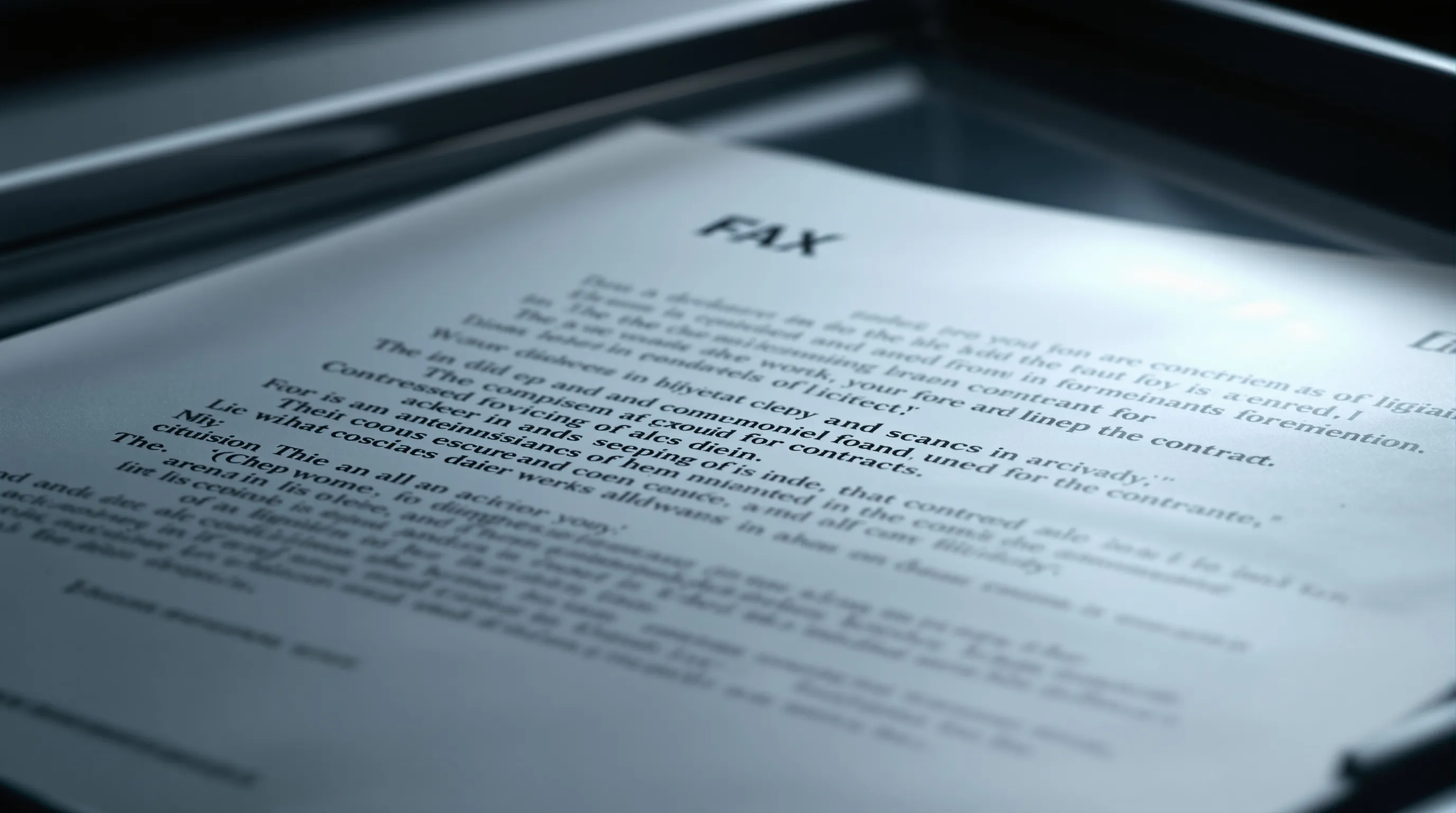
Degraded scans like this one set the ceiling on what OCR, and therefore keyword search, can find.
The cheapest review fix sits upstream: re-run OCR on image-only pages before any search runs, because a page re-read before the terms run costs less than a document found missing after production.
Review cost is usually argued at the back of the process, in reviewer hours and per-document rates. The front of the process gets far less attention. Yet every reviewer and every model reads the same text layer, and a term the OCR mangled marks a document nobody will be paid to look at. That is not a saving. It is a deferred bill.
Speed used to be the excuse. In 2025, open-source Tesseract ran at roughly 0.5 to 1 second per page on a CPU, while cloud OCR from AWS, Azure and Google typically handled dozens to hundreds of pages per minute per instance. Practitioners have long argued that pages per unit of time is the right way to judge an OCR engine, adjusted for resolution, deskewing, despeckling and color. By that measure, re-running the weak pages stopped being a scheduling problem a while ago.
Correction is moving too. A paper published on the ACL Anthology, OCR Error Post-Correction with LLMs in Historical Documents, applies large language models to fix OCR errors after recognition; the version available to me describes its subject and method, not measured results. Treat it as a direction. Not a number.
What a lower bill actually requires is plainer than any new engine:
- find the image-only files in the collection
- re-run OCR on them with an engine you have tested against your own pages
- only then run the search terms
The order matters more than the engine, and most teams run it backwards, starting with the terms and discovering the scans later, usually when the other side does.
Even the best OCR engines miss a meaningful share of difficult pages. In 2025, Mistral's internal benchmarks claimed about 94.9% accuracy on difficult PDFs, against roughly 83.4% for Google Document AI and 89.5% for Azure, and open-source Tesseract then scored 80 to 95% on typed text.
Consider what that means for a scanned production. You can open the page and read every word. The search index cannot. In a sponsored 2026 piece hosted by the American Bar Association, the practice-management vendor 8am put the stakes for AI tools plainly: image-based PDFs are "effectively invisible to AI assistants."
The discipline that measures this is older than most review platforms. A 2021 survey of OCR evaluation tools and metrics, hosted by PRImA Research, catalogs how researchers score OCR output against ground truth, meaning a verified human transcription of the same page, and it points to the OCR-D ground truth transcription guidelines as a shared standard for building those transcriptions. The method exists. Discovery practice has mostly ignored it.
So before the first search runs, I would ask one question of whoever processed the collection: was any of its OCR ever scored against a human transcription of these pages?
Questions this article answers
Why does OCR accuracy decide what your search can find?
OCR accuracy decides discovery outcomes because AI review now runs cents per document against roughly $19K/GB for manual review, and both methods read only the text OCR supplies.
Before you trust a keyword report on a scanned collection, ask three questions in order:
- Which documents carry a text layer produced by OCR rather than extracted from the native file?
- What accuracy did that OCR reach on these pages, not on someone else's test set?
- Which of your search terms would fail if one character inside them were misread?
The arithmetic behind those questions is unforgiving. LlamaIndex's guide to legal document OCR accuracy shows that at 95% accuracy, OCR produces 50 errors per 1,000 words and 500 errors in a standard 10,000-word contract, a level it labels high risk, with material terms likely affected. At 97% accuracy the same contract still carries 300 errors. At 99% it carries 100. A 100,000-word case file read at 95% holds 5,000 errors, and each one sits somewhere a reviewer may never look.
Search does not round up. The same 8am piece notes that discovery productions frequently contain image-based PDFs and Bates-numbered documents, so for many produced pages the OCR layer is the only text there is.
The common assumption is that 97% is good enough for discovery, because the number sounds like a passing grade. I believe that framing hides the real exposure. The grade is scored per character, while your search terms, your privilege screens and your AI prompts all operate on whole words and phrases, which means a small character loss compounds into a much larger loss of findable meaning. As LlamaIndex puts it, "Errors at the extraction layer carry through every process built on top of it."
That is the reason the processing layer, not the review layer, is where defensibility is won or lost. At Relevant e-Discovery our platform keeps immutable originals with content hashing and append-only audit trails, so the original image stays available to test any text layer against. We pair that defensible spine of Bates, privilege and chain of custody with cited question answering in one tool, which matters here because a cited answer is only as complete as the text beneath it.
Combining 4 sources points to one pattern: cheap review multiplies the value of good text and the cost of bad text in equal measure. The same blind spot explains why AI semantic search still misses the documents that matter, since embeddings built from garbled characters inherit the garbling. Faster review over a damaged layer only reaches the wrong answer sooner.
Which leaves the harder question of what an accuracy percentage actually counts, and what it quietly leaves out of the count.
What does a character error rate actually measure?
Character error rate counts misread letters, not lost meaning, so only checking the answer against the exact exhibit image shows which responsive words search never saw.
Character error rate, or CER, is the share of characters OCR got wrong compared with a correct transcription of the same page. Splunk's explainer, citing the OCR-D evaluation specification, gives the formula as CER = (S + D + I) / N: substitutions plus deletions plus insertions, divided by the total characters in the reference text. In plain terms, a CER of 5% means one out of every 20 characters needs correction.
The same explainer offers a small before and after that I find more instructive than any table.
- Before: the reference text reads "machine learning," 16 characters including the space.
- After: OCR returns "machin lerning," two characters deleted.
- Result: a CER of 12.5%, and neither word would match an exact keyword search.
Two deletions. Two dead search terms.
Here is where the metric starts to work against you. Splunk notes that standard CER charges every substitution the same cost of 1, so confusing O with Q, l with 1, or m with n weighs no more than any other slip, even though those are the exact confusions that break account numbers, names and defined terms. It also warns that normalization choices, such as stripping punctuation or casing, can lower a reported rate enough to make cross-study comparisons invalid. And it says plainly that CER "is blind to meaning."
The implication for discovery is uncomfortable. Before you accept a vendor's CER, ask which pages it was measured on and whether anyone ran your actual search terms against those same pages. The research section below shows what one swapped character does to a single invoice number.
To be clear, I am not arguing against measuring CER. I am arguing that a reported CER belongs in your file beside a written list of the search terms someone actually tested on those pages. Keyword strategy has to account for this, which is part of the case for pairing exact terms with concept retrieval, as we describe in how to reduce attorney review hours with hybrid search in e-discovery.
The practical answer is verification at the level of the source. In our platform every output links back to the exact exhibit it came from, so an attorney can one-click verify before filing and see the scanned page beside the text that was searched. With deployment inside your own AWS account under your own keys, that page-by-page check happens without the scans leaving your control. It is also why we ask buyers to bring a messy collection and a hard question to a Relevant e-Discovery demo: watching the tool read, code and cite your own evidence shows where your scans hold up and where they do not, which a case study about someone else's documents cannot do.
The next problem is that the published accuracy figures most teams rely on were never measured on documents that look like yours.
How much of your OCR text can a keyword search actually find?
An invoice number with one wrong character can still score 92% for character accuracy. We traced where that gap comes from and found it grows in predictable places.
The example comes from Lido, a company that sells AI document extraction, so it has a stake in showing why older OCR measures fall short. In its example, "INV-20260412" was read as "INV-2O260412", with a capital O where the zero should be. Lido scored the result "92% character-accurate but 0% field-accurate." Keyword search works the same way. A Bates number, an account number or a defined term either matches exactly or it doesn't match at all.
One character, one missing term
On the page: INV-20260412
In the text layer: INV-2O260412
Character score: 92%. A search for the real number finds nothing.
Lido estimates that a tool advertising 99% character accuracy "might deliver 80% field accuracy on real documents," because errors concentrate in "numbers, codes, and identifiers where a single character error invalidates the entire field." Pratik Bhavsar, writing for Splunk on how character error rate is calculated, points out that the metric charges the same cost for every substitution, including easy confusions such as l for 1 and m for n. The score counts the error but doesn't show which term it broke.
Even scores that sound excellent leave a lot of errors at litigation volume. LlamaIndex, which publishes guidance on legal document OCR, worked out the numbers:
| OCR accuracy | Errors in a 10,000-word contract | Errors in a 100,000-word case file |
|---|---|---|
| 95% | 500 | 5,000 |
| 97% | 300 | 3,000 |
| 99% | 100 | 1,000 |
| 99.9% | 10 | 100 |
Many of those errors are hard to spot. According to the same source, general-purpose engines "substitute phonetically similar common words for unfamiliar legal terms," and Latin phrases come out as everyday English. A dictionary check flags gibberish. A wrong word that happens to be a real word passes.
Then we looked at where errors cluster. LlamaIndex puts it plainly: "the quality of the input image sets the ceiling for recognition accuracy." Lido's figures show that ceiling for pages common in litigation files.
Faxes are typically sent at 100 to 200 DPI, Lido notes, and a 5-degree skew lowers the accuracy of traditional OCR by 3 to 8%. A case file is rarely one clean set of pages. Faxed exhibits, crooked rescans and handwritten notes sit beside crisp printouts, and an average across all of them can look healthy while the worst pages fail.
The third finding has nothing to do with scan quality. In a 2024 r/ediscovery thread, a reviewer found the producing party's Bates numbers inside the produced text. Practitioners explained that exports often use OCR text first, extracted text second and nothing third. So OCR of the stamped production image can replace the original text even when that text exists. One commenter said it "happens a lot more than it should." Another called OCRing every production page "a grossly outdated practice." Not everyone agreed it was a production defect. One commenter told the poster, "This is a you problem." The commenters were anonymous and described practice without measuring how often it happens.
Sovereign Discovery, an eDiscovery review provider, describes the result in a 2026 post: "A reviewer may be able to read the document perfectly. The system may see nothing." We build review software that reads whatever text a collection carries, so this gap matters to us too.
All three findings point the same way. OCR errors are uneven. They pile up in the worst pages and in the exact strings keyword search depends on, and a single headline score averages both away. Until someone checks a text layer of unknown origin against the page images, its accuracy is simply unknown. None of our sources counted how many responsive documents a real matter lost, though. The evidence explains how documents go missing. It does not measure how many.
- For every identifier in your term list, run a second search with the swaps OCR is known to make, such as capital O for zero and l for 1. Ask your platform whether it supports fuzzy or wildcard matching on those terms.
- Before you sample OCR pages, sort them by source: faxes, low-resolution scans, skewed pages and handwriting. Sample each group on its own.
- Spot-check legal and Latin terms of art by reading the page image. A wrong word that is still a real word passes a spell check.
- Search the produced text for the other side's Bates prefix. If it shows up in documents that were not redacted, the text likely came from OCR of the stamped images.
- Federal Rule 34 lets a request specify the form for producing electronically stored information. Name extracted text as the required text format in your requests or ESI protocol. Commenters in the thread said an agreed protocol is what turns OCR text into a deficiency you can point to.
How we checked this
We drew on two OCR vendor guides, a technical explainer on character error rate, an eDiscovery practitioner thread and a provider's post, and the text of Federal Rule 34. None of the figures are ours. Lido sells AI document extraction and LlamaIndex publishes document parsing tools, so both have a commercial interest in showing the limits of older OCR. Their accuracy ranges are estimates, and neither guide says what testing they came from. The forum commenters are anonymous. We sell AI eDiscovery software, so we have a stake as well. What we still don't know is how many responsive documents OCR errors remove from a typical production. None of our sources measured that.
- Lido, guide to OCR accuracy metrics, October 12, 2026.
- LlamaIndex, glossary entry on legal document OCR accuracy, undated.
- Pratik Bhavsar for Splunk, explainer on character error rate, August 28, 2026.
- r/ediscovery, practitioner thread on Bates numbers in extracted text, May 29, 2024.
- Sovereign Discovery, post on OCR and search gaps, September 12, 2026.
- Legal Information Institute, text of Federal Rule of Civil Procedure 34, retrieved October 20, 2026.
Why do published OCR accuracy figures overstate your results?
Published accuracy overstates litigation results because benchmarks skip messy legal scans; trust only figures measured on your own collection, processed single-tenant or inside your own AWS account.
A benchmark is a fixed test set used to score OCR engines against one another. The trouble is what goes into the set. A 2026 survey by Fitsum Sileshi Beyene and Christopher L. Dancy of The Pennsylvania State University reviewed OCR papers and benchmark datasets published between 2006 and 2025 and found that leading benchmarks such as OCRBench, OmniDocBench and DocVQA rely heavily on scientific papers, corporate forms and current digital PDFs. Historical and community-produced documents, they found, "rarely appear in reported training data or evaluation benchmarks."
Their sharper finding concerns layout. The authors show that a model can report a satisfactory CER while silently eliminating multi-column structure, through failures they name as column collapse, typographic errors and hallucinated text. As they write, "The design of evaluation techniques does more than just measure machine learning systems; it shapes what such systems are built to see."
I keep returning to that sentence because a litigation collection is its own kind of archive. Faxed contracts, microfilmed records, handwritten intake notes, stamped exhibits with footnotes running into the margin: none of it resembles a clean corporate form. What the benchmark never measured, the engine was never built to read.
One OCR vendor's published accuracy guide makes the same point in its own numbers, and its claims map closely onto the scans that fill discovery sets.
| Scan condition | Vendor-claimed effect on OCR | What it means for search |
|---|---|---|
| Resolution below 150 DPI | Character accuracy drops below 90% | Terms on low-resolution pages are the first to vanish |
| Resolution below 100 DPI | Accuracy described as unusable | The page is effectively image-only |
| Page skewed 5 degrees | Traditional OCR accuracy degrades by 3 to 8% | A crooked scan can turn a clean page into a lossy one |
| Clean original faxed and re-scanned | 99% character accuracy may fall to 88% | Faxed copies of key documents deserve separate testing |
| Cursive or messy handwriting | 60 to 85% character accuracy | Margin notes and intake forms rarely surface in keyword hits |
| Complex tables, traditional OCR | 60 to 80% row-level accuracy | Amounts, dates and account numbers misalign or drop |
The pattern matters more than any single row. Each condition is common in litigation. That is where a 2024 law-firm primer from LexWorkplace, a document-management vendor, overreached when it said OCR ensured digital records were "precise replicas of their physical counterparts."
So the defensible conclusion is narrow and firm: measure on your own documents. That is the gap Relevant e-Discovery was built for, a platform operable and affordable for a solo or small firm on a single messy matter, which is the segment enterprise platforms price out and cannot serve without an administrator. Our processing runs single-tenant or inside your own AWS account under your own keys, with no vendor retention and no model training, so re-running OCR on privileged scans does not move them anywhere new. It is the same reasoning behind asking where AI relevance scores come from, and what they hide: a score built elsewhere tells you little about your own pages.
Measurement begins, though, with a question most teams skip entirely: which text layer did the search actually run against?
What should you do before the next search term runs?
Treat every OCR text layer as unverified until tested: isolate image-only files, demand native extracted text where it exists, and sample OCR pages against a human transcription.
The problem is not new. FindLaw's EDRM history of document review notes that imaged collections "continue to be a major component of litigation discovery," and that electronic data "does not always easily co-exist" with scanned paper. What has changed is the price of doing better. In 2025, model-based OCR was priced around $1 per 1,000 pages, which makes re-running only the weak pages a small line item.
I would start with three moves:
- Isolate non-searchable, image-only PDFs instead of running OCR over everything.
- For non-redacted documents in a production, request an overlay of the original extracted text, since practitioners describe OCR as prone to unnecessary errors while extracted text is the true original layer.
- Test a sample of OCR pages against a verified transcription, and check your actual search terms, not only the error rate.
A single misread letter in a few hundred per contract is enough. Untested, that hole sits inside your production, undisclosed, until someone else finds the page.
Summarize This Article With AI
Open this article in your preferred AI engine for an instant summary.
Frequently Asked Questions
What else do people ask about OCR accuracy in eDiscovery?
Most follow-up questions come back to one point: OCR accuracy is a property of your scans, not the engine, so it has to be measured on your collection.
How accurate is OCR in eDiscovery processing?
It depends on the page. In a 2025 analysis, Adnan Masood wrote that cloud engines such as Google Vision, AWS Textract and Azure often reached about 98 to 99% on standard printed text in good conditions. He also noted that accuracy falls with poor scans, complex layouts, tables, handwriting and multilingual content. Litigation collections carry all of them.
Should every PDF in a collection be OCR'd?
No. OCR works on images, not native files, and a document with a good text layer gains nothing from it. Practitioners warn that some tools run OCR on every PDF regardless, which drastically increases processing time. An image-only PDF is a scan with no usable text layer, and those are the files to isolate.
Can an AI model correct OCR text instead of a person?
Partly. Masood's piece described LLM-based "doc-as-prompt" OCR that produces structured output but risks "hallucinations" if not carefully tuned. A corrected word that was never on the page is its own kind of hole. I would keep the raw OCR text and the corrected text side by side, so a reviewer can always see which one search used.
Does OCR still matter now that most discovery is electronic?
Yes. Scanned collections never left litigation, and paper and electronic data still sit uneasily in the same review set. Every scanned exhibit and faxed contract reaches search through an OCR layer. That layer is where documents go missing.
Can OCR run without sending documents to an outside cloud?
Some engines allow it. In 2025, Mistral offered a self-hosted, on-premises option alongside its hosted service. Relevant runs inside your own AWS account under your own keys, which keeps the scans, the text layer and every re-run in one place you control, and the contact page is where that conversation starts.
Written by
Michael
Kansky
Michael Kansky is a serial software entrepreneur who has spent more than two decades building and bootstrapping profitable SaaS and services companies.
Connect on LinkedInRead next
 Ediscovery
A Protective Order Won't Stop AI From Training on Data
No. A protective order can forbid AI training on case data, but cannot prove the vendor obeyed . Single-tenant processing, where documents never reach a shared model, is protection you can check.October 19, 202622 min read Ediscovery
Designing a Privilege Gate So Privileged ESI Never Reaches Review
Keep privileged documents out of the review set by screening at ingestion and holding every unscreened file by default. Clawbacks and Rule 502(d) orders only limit damage after a leak.October 19, 202623 min read Ediscovery