
Quick Answer
The Short Answer
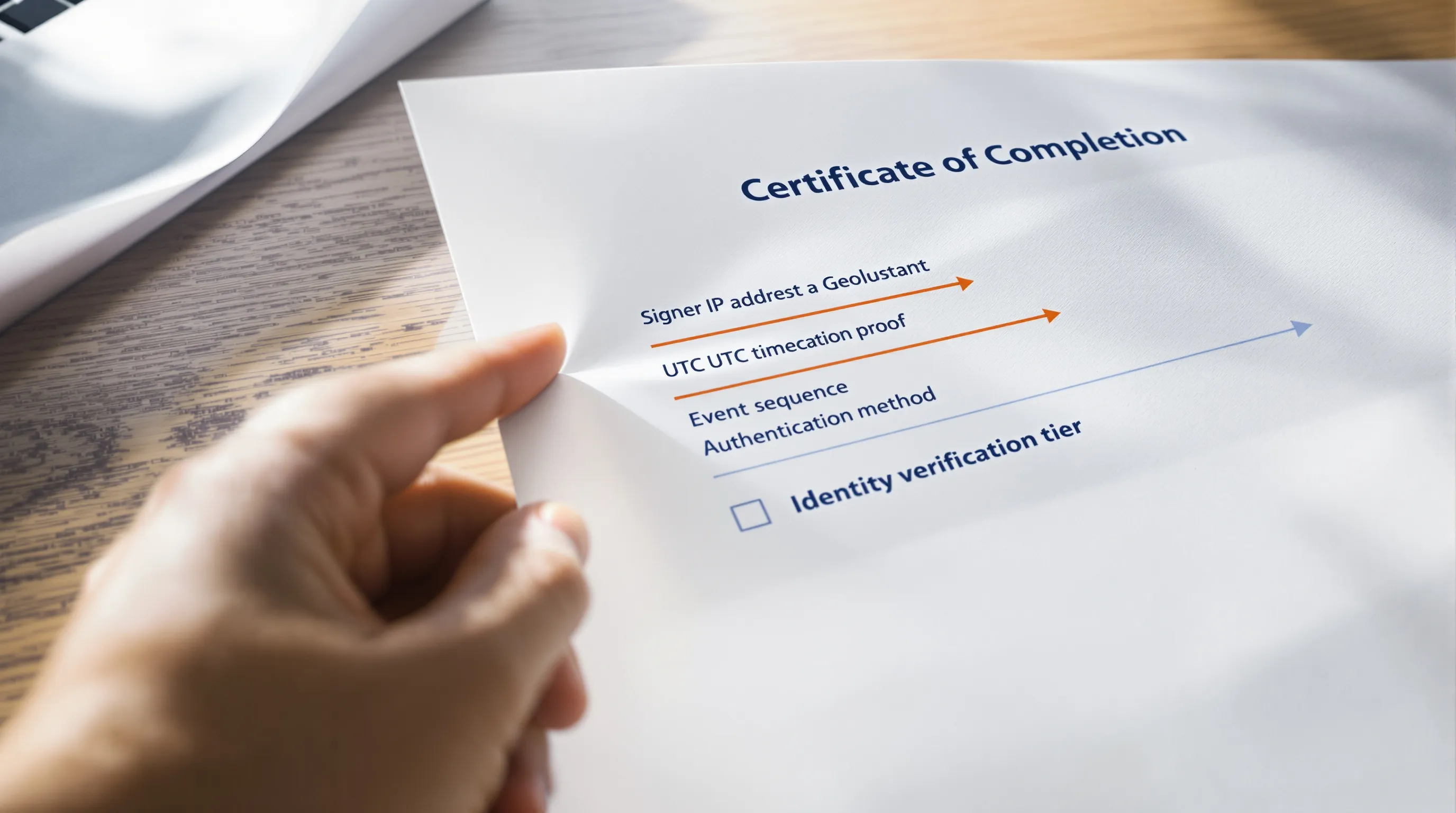
A DocuSign Certificate of Completion records the signer's IP address, the exact UTC timestamp of each signing event, the authentication method used to verify identity, and a cryptographic hash of the signed document. In a "did they really sign it" contract dispute, those three fields (IP address, timestamp, and authentication method) resolve the majority of repudiation claims before expert witnesses are needed. Courts accept the Certificate as evidence under the E-Sign Act and FRE 901, but require the producing party to explain what each field means, not merely hand over the PDF and expect the court to decode it independently.
A DocuSign Certificate of Completion is not a formality: it is a self-contained evidence package that records signer IP addresses, UTC timestamps, and authentication methods in a single PDF generated automatically for every completed envelope. When a counterparty claims they never signed a contract, or never intended to be bound by its terms, this document often ends the argument before discovery begins. What few attorneys understand is exactly what each field in that Certificate means, how courts have treated it as evidence in actual disputes, where the record can be undermined by opposing counsel, and how to produce it in discovery without inadvertently destroying the cryptographic proof that makes it useful in the first place. This piece decodes the audit trail, field by field, and explains how to use it effectively when a deal turns into a fight.
Questions this article answers
- What does a DocuSign audit trail actually show in a lawsuit, and which fields matter most?
- How have courts treated the Certificate of Completion as evidence in contract disputes?
- How do you produce a DocuSign audit trail in discovery without destroying the cryptographic proof?
Quick Answer
In the contract disputes I have reviewed over the years, the moment that resolves a "did they really sign it" argument almost never arrives through deposition or expert testimony. It arrives when someone finally reads the DocuSign Certificate of Completion carefully, for the first time, and notices what it has recorded all along. That document, generated automatically for every completed DocuSign envelope, records the signer's IP address down to the specific network connection, the UTC timestamp of each event to the second, the authentication method the platform used to verify identity, and a cryptographic hash that would detect any post-signing alteration to the document's content. In at least two significant cases, AJ Equity Group LLC v. The Office Connection, Inc. (2023) and Fabian v. Renovate America, Inc. (2019), courts excluded or limited e-signature evidence not because the audit trail was absent, but because the party offering it could not explain what it showed.
The Certificate is a specific, high-value exhibit that most practitioners have seen but few have decoded. No other source I am aware of decodes the Certificate field by field as a discrete litigation exhibit. This piece does that decoding: what each field records, which three fields carry the most evidentiary weight in a repudiation dispute, how courts have responded to Certificate evidence in practice, what opposing counsel's most common attacks look like and how to answer them, and how to produce the document in discovery without inadvertently stripping the cryptographic proof that makes it defensible in the first place.
What Does a DocuSign Certificate of Completion Actually Record?
The Certificate of Completion is DocuSign's native audit log: a PDF that attaches automatically to every completed envelope, at no additional cost, and that most people involved in a contract dispute have never read with any care. Every serious signature challenge I have encountered in recent years eventually circles back to three questions: who signed, when they signed it, and how the platform confirmed their identity. The Certificate answers all three, in one place, before any court order or subpoena.
A complete Certificate records the following fields for each transaction:
- Envelope ID: a unique identifier for the entire signing session
- Sender's name, email address, and IP address
- Date and time the envelope was created and sent
- For each signer: name, email, and IP address at the moment of signing
- Date and time of each signature event, recorded to the second in UTC
- Signature type selected: click-to-sign, drawn, typed, or authenticated
- Whether and when the email notification was opened
- Whether and when the document was viewed before signing
- A cryptographic hash of the signed document at the moment of completion
The cryptographic hash is the element most practitioners underestimate. DocuSign applies a DSA (Digital Signature Algorithm) seal the instant all parties have signed; if any character in the document changes afterward, the seal breaks and validation fails. The Certificate is therefore not simply an access log. It is also a chain-of-custody record for the document's content, independent of who controls the file after delivery.
What the hash does not tell you (and this distinction becomes decisive in litigation) is which individual physically sat at the keyboard when the "Sign" button was clicked. The Certificate proves a device at a known location executed a signing event. It does not, by itself, identify the human being operating that device at that moment. That limitation is the single most important thing an attorney needs to understand before relying on the Certificate as stand-alone proof.
Which Three Fields Win or Lose a "Did They Really Sign It" Dispute?
In my reading of these records across contract disputes, three fields do the majority of the evidentiary work before any expert witness needs to be retained.
1. Signer IP address. The IP address captured at the moment of signing is often the fastest-moving fact in a signature repudiation case. If the address geolocates to the signer's home or office, that is strong corroboration of their presence at the transaction. In a 2020 dispute documented in a cybersecurity community thread, a tenant alleged that a landlord's manager had signed a lease agreement on their behalf without consent, and the IP address recorded in the Certificate geolocated not to the tenant's device but to the landlord's office network. That single field ended the argument before any subpoena was necessary. The tenant had the contract cancelled.
2. Timestamp. The timestamp is recorded to the second in UTC, and the email viewing event is captured as a separate log entry from the signature event. A signer who claims "I never had a chance to review the agreement" cannot sustain that position if the audit trail shows the notification email was opened at 2:14 PM and the signature was applied thirty-three minutes later at 2:47 PM. That interval is a fact the Certificate states without ambiguity, and it directly contradicts the "I was rushed" or "I had no time to read" narrative that repudiation arguments typically require.
3. Authentication method. DocuSign supports several authentication tiers: simple click-to-sign (email delivery only), SMS verification, knowledge-based authentication (KBA, which requires the signer to answer identity questions drawn from their personal financial and public records), and ID photo match. The Certificate records which method was configured and whether it was successfully completed. A signer who passed KBA (answering questions about their credit history or mortgage records) cannot credibly claim that a stranger performed the step on their behalf. Those questions are drawn from records personal to the named individual. In every matter I have reviewed where the sender configured KBA or SMS verification and the Certificate showed those steps completed, the repudiation argument collapsed before deposition.
Taken together, IP address, timestamp, and authentication method resolve the majority of "did they really sign it" disputes before the matter escalates to expert testimony, if you know how to present them coherently.
How Do Courts Treat the DocuSign Audit Trail as Evidence?
Courts accept DocuSign audit trails as evidence of signing. The acceptance is not automatic, and two recent cases illustrate both sides of that reality with unusual clarity.
In AJ Equity Group LLC v. The Office Connection, Inc. (2023), a New York court considered a DocuSign signing certificate that included an IP address audit trail. The losing party failed on both critical fronts: they offered no expert testimony to explain the technical contents of the certificate, and they had left sensitive identifying fields blank in their original submission. The court's reluctance was not about the audit trail itself, it was about the failure to lay a foundation for what the audit trail showed. The document was present. The explanation was absent.
In Fabian v. Renovate America, Inc. (2019), a California appellate court excluded a typed DocuSign signature because the company failed to explain how the document was sent and executed. The court wanted evidence of intent to sign and identity validation, not simply a PDF confirming that someone had clicked. The legal community reviewing this case noted plainly: "the signature was thrown out because Renovate did not explain how the document was sent and executed, i.e., did not demonstrate intent to sign or identity validation." The Certificate existed. No one in the courtroom could interpret it.
These two cases together establish what I think of as the foundation rule for DocuSign evidence: the Certificate is a starting point, not a conclusion. You must be prepared to explain, in plain terms, how the document reached the signer, what authentication steps were required, what the IP address tells us about where the signing occurred, and how the timestamp sequence fits the parties' surrounding communications. Courts are not equipped (and should not be expected) to decode a technical PDF without guidance from counsel who has actually read it.
The E-Sign Act and UETA provide the statutory framework. A valid electronic signature requires demonstrated evidence of four elements: intent to sign, consent to do business electronically, signature capture, and long-term storage. The DocuSign Certificate addresses all four: the viewing event establishes an opportunity to consent, the authentication event establishes identity, the signature event is captured with its hash, and DocuSign retains the certificate independently of the signed document. Under FRE 901, electronic records are authenticated by evidence sufficient to support a finding that the item is what the proponent claims. A Certificate explained coherently satisfies that standard reliably. The risk is not in the record, it is in the failure to interpret it.
What Happens When Opposing Counsel Challenges the Audit Trail?
The two most common attacks on a DocuSign audit trail are: challenging the IP address evidence as insufficient proof of which individual was at the keyboard, and arguing that the signer never meaningfully reviewed the document before clicking.
On the IP challenge, practitioners in the cybersecurity community have captured the argument precisely: "Digital signature products often incorporate metadata, including the IP address of the device that 'made' the signature, but they have no way of knowing which meat sack actually caused the device to make the signature." That observation is correct. An IP address proves that a device at a known location made a signing event. It does not prove which individual was using that device at that moment.
The response to this attack lies in corroborating context: the email thread confirming the signer's awareness of the document; conduct after signing consistent with having agreed; the absence of any contemporaneous objection; and the KBA or SMS authentication event log, if those steps were configured. A signer who completed knowledge-based authentication cannot easily claim a stranger clicked on their behalf, those answers draw on personal records only they would know.
On the "didn't read it" challenge, the audit trail's viewing timestamp sequence is your first line of defense. If the certificate shows the notification email was opened and a gap of minutes or hours preceded the signature, the "I had no chance to review" argument is contradicted by the Certificate's own event log. In some enterprise DocuSign configurations, scroll depth within the document is also recorded, worth verifying before responding to that particular challenge.
One structural vulnerability worth flagging: PDF annotations added in certain applications, including macOS Preview, can silently strip the AATL-certified digital signature under ISO 32000 without displaying any alert. The green validation badge disappears; the document becomes editable; the cryptographic proof of authenticity is gone. A practitioner relying on legaltech community analysis identified this problem directly: "No red flag, no alert. The green checkmark disappears, the document becomes editable, and the cryptographic proof of authenticity is gone." Always produce the Certificate as the native PDF directly from DocuSign's servers, not a copy that has passed through email clients, preview tools, or annotation software.
How Do You Produce a DocuSign Audit Trail in Discovery?
The Certificate of Completion lives in your DocuSign account under the Agreements tab. To retrieve it: locate the relevant envelope, click the three-dot options icon on the envelope's row, select "History," and use the "Download Certificate" button that appears in the lower-right corner of the history screen. The download produces a self-contained PDF containing all audit events, the document hash, and the full signer metadata. DocuSign calls this history page a comprehensive audit trail showing "who viewed, signed, or interacted with the document and at what time."
One critical data retention point that practitioners discover too late: DocuSign does not retain records indefinitely after account closure. Community reports among former paid subscribers suggest a window of approximately 60 days after account termination during which read-only access remains available; after that window, the account data is deleted. If the opposing party (or a former client whose signature is now contested) has since closed their DocuSign account, the audit trail may no longer be accessible through normal channels. A litigation hold letter or subpoena directed to DocuSign, issued before that window closes, may be the only remaining recovery option. This data retention cliff is one of the most underappreciated risks in e-signature evidence collection.
For production in discovery, the Certificate should be produced as a native PDF, not printed to paper, re-saved as a new file, or converted to an image format. The digital certificate embedded in the file allows opposing counsel and the court to verify the hash. Stripping that embedded certificate by printing or format-converting breaks the chain of custody without alerting anyone to the loss. This is not a theoretical concern: it is a routine production error that I have seen generate follow-up motion practice.
Authentication Methods: Evidence Strength at a Glance
| Authentication Method | What It Proves | Evidence Strength | Repudiation Risk |
|---|---|---|---|
| Email delivery only (click-to-sign) | Access to the email account at signing | Baseline | High: anyone with inbox access could have signed |
| SMS verification | Access to the registered phone number | Moderate | Medium: claimant must also control the registered device |
| Knowledge-based authentication (KBA) | Correct answers to identity questions from public records | Strong | Low: questions are drawn from the named signer's personal records |
| ID photo match | Visual match to government-issued identification | Strongest | Very low: requires biometric or documentary identity match |
The authentication tier configured by the sender is visible in the Certificate and determines the width of the repudiation window. Where only email delivery was used, the argument has significant latitude: anyone with access to the inbox could have clicked. Where SMS or KBA was configured and the Certificate shows completion, the signer must claim that someone else also controlled their registered phone or knew their personal financial history. That is a materially harder case to sustain under cross-examination.
One detail in multi-signer documents that practitioners consistently overlook: DocuSign records each signing event as a discrete, sequenced audit entry, capturing both the sequence number and the UTC timestamp. This sequencing matters in disputes where one party claims they signed in reliance on the other having already committed, or where the agreement was conditioned on a specific signing order. The Certificate states the order plainly and cannot be rewritten after the fact.
For any matter where the Certificate is likely to be contested, running it through an e-discovery platform that maps audit events against the surrounding communication record (emails, attachments, chat messages) converts a technical PDF into a narrative the court can follow without expert testimony. At Relevant Discovery, our Case Intelligence layer builds exactly that chronology: the signing events from the Certificate set alongside the email thread that preceded and followed them, with every fact cited back to its source document. The result is a package that any attorney can explain to a judge without a computer science degree.
What Will Matter Most in the Next 12-24 Months?
The next phase of e-signature evidence litigation will not be fought over whether DocuSign Certificates are admissible: that question is largely settled. It will be fought over three emerging pressure points that the current legal framework has not yet fully addressed.
AI-assisted identity fraud targeting knowledge-based authentication. KBA questions draw on public records databases, and those databases are increasingly accessible through data broker aggregation and large language model tools that synthesize personal data. A sophisticated actor with sufficient information about a target could, in theory, complete KBA questions in someone else's name. As AI tools for personal data synthesis become more accessible, the evidentiary weight courts currently assign to KBA completion may need to be revisited. The Certificate field that records "authentication method: KBA completed" will mean something different if the authentication step itself can be gamed with publicly available information. Law firms advising clients on contract execution should be tracking this development now, before it surfaces in a case they are defending.
The PDF annotation vulnerability in produced records. As the legaltech community documented in 2025, adding annotations to a signed PDF in certain applications (including macOS Preview) silently strips the AATL-certified digital signature under ISO 32000 without displaying any warning. The cryptographic proof of authenticity disappears. Courts and discovery protocols have not yet developed standard procedures for verifying that a produced e-signed PDF retains its original certificate. In the next 12-24 months, I expect this will become a specific, targeted attack in high-value contract matters: opposing counsel annotating a produced Certificate to undermine the offering party's ability to authenticate it, then arguing the document has been altered. The defense is straightforward: verify the digital signature panel in Adobe Acrobat before and after production, and produce from the native DocuSign source.
Data retention cliffs as e-signature platform consolidation accelerates. The cost pressure driving consolidation to Microsoft 365's bundled e-signature tools and away from standalone DocuSign accounts means old DocuSign accounts are being closed at higher rates. When those accounts close, the audit trails from contracts signed two or three years ago face the 60-day deletion window. Any organization carrying pending or anticipated litigation involving contracts signed on a now-closed account should verify access to those records immediately. The retention cliff is not a hypothetical: it is an ongoing and underappreciated discovery risk that will produce avoidable evidence losses in the near term.
For litigation teams and corporate legal departments, the practical implication is the same across all three trends: the Certificate alone is no longer sufficient as a self-contained evidentiary package. It requires context (the surrounding email record, the authentication event log, the IP geolocation) assembled into a chronology before the dispute escalates, not after. That assembly is exactly where AI-assisted e-discovery tools provide their most immediate return.
The next 12-24 months, scored
Where DocuSign Audit Trail Disputes Are Headed Next
Three forecasts on how audit trail evidence will shape contract disputes over the next two years.
What To Watch In Audit Trail Litigation
Use these forecasts to gauge how courts and vendors will treat DocuSign audit trail evidence going forward.
Rather than becoming more bulletproof, DocuSign audit trail evidence will face growing challenges to its reliability, driven by technical vulnerabilities like PDF annotations that silently strip signature validation under ISO 32000, and account retention policies that delete data 60 days after closure.
Over the next 12-24 months, contract disputes involving DocuSign audit trails will increasingly turn on whether a party can produce expert testimony to interpret the trail, not merely produce it, following the pattern set in AJ Equity Group LLC v. The Office Connection, Inc. (2023).
Cost-sensitive firms will keep migrating away from DocuSign toward cheaper alternatives like Boloforms and Dropbox Sign, producing a more fragmented mix of audit trail formats that future contract disputes will need to navigate.
Faint signals worth tracking: In AJ Equity Group LLC v. The Office Connection, Inc. (2023), the losing party failed to provide expert testimony explaining the DocuSign audit trail and left sensitive PII fields blank. A DocuSign user found their audit trail became inaccessible after their account's 60-day post-closure data window expired, while a separate technical flaw lets PDF annotations strip signature validation without warning. A small insurance firm switched from DocuSign to Boloforms after years of use, and a solo practitioner now runs attorney-client agreements through Dropbox Sign at $180 per year instead of DocuSign.
Supporting And Contrary Evidence
Each forecast lists the real-world sources that support it and the ones that complicate it.
- Backing it: Need Audit Trail. [Community / Forum]Original poster closed their DocuSign account in 2022, expecting a "free account" transition with continued data access - attributed to u/Adventurous-Tie-6433, original poster. “Closed docusign account in 2022 - thought we were transitioned to free account with data available.”
- How PDF Annotations Can Break Digital Signature Validation points the same way. [Community / Forum]Opening an AATL-certified digitally signed PDF in macOS Preview (or similar) and adding an annotation (e.g., square or highlight) causes Adobe Acrobat to silently strip signature validation upon reopening - no alert is shown. “The green checkmark disappears, the document becomes editable, and the cryptographic proof of authenticity is gone.”
- Pushing back: How do you verify e-signature documents haven't been altered? [Community / Forum]E-signature platforms (DocuSign, Adobe, BoloSign) apply a cryptographic seal to a document immediately after signing; if the file is altered post-signing, the seal breaks and the validation fails (per u/betahaxorz, u/pareshmukh). “They use a DSA algorithm that basically turns the signed document into a string where if someone tampers with it, the key can no longer validate it.”
- How PDF Annotations Can Break Digital Signature Validation is the strongest public backing for this call. [Community / Forum]This behavior is permitted under the PDF specification ISO 32000.
- How to Download the Certificate of Completion (2025 Audit Trail is the clearest counter-signal. [Video]The DocuSign Certificate of Completion is accessed via the Agreements tab in a DocuSign account. “No attributed named-speaker quotes; the entire transcript is unattributed narrator instruction (no on-screen name, title, or organization given for the…”
- Against it: Electronic Signatures with iManage Work 10 & DocuSign. [Video]Demo performed in iManage Work 10 integrated with DocuSign for electronic signatures. “storing the audit trail for the signatures with a document is very easy”
- Backing it: What are you using for electronic signatures? [Community / Forum]
- Pushing back: Top 5 eSignature and eClosing Platforms Real Estate Teams Trust. [Substack / Newsletter]DocuSign Rooms for Real Estate is positioned as a cloud-based transaction management workspace centralizing compliance, document libraries, form editing, and eSignatures. “eSignature and eClosing platforms handle the digital execution of real estate contracts and closings, replacing paper-based signatures, scattered email…”
- Electronic Signatures with iManage Work 10 & DocuSign complicates the call. [Video]Workflow used: "Request Signature" menu option on a document (example: a mutual non-disclosure agreement).
What Could Change This Outlook
Court rulings, vendor policy shifts, or new signature technology could alter these forecasts.
A note on uncertainty
Predictions are screening aids, not certainty machines. The strongest signal here (58/100) still has counter-evidence, and the contrarian signal (58/100) reflects real disagreement among sources.
- If regulators or buyers move in the opposite direction, Retention gaps and PDF flaws erode audit trail reliability would weaken first.
- If the source mix shifts toward stronger contrary evidence, Retention gaps and PDF flaws erode audit trail reliability could become the more durable forecast.
A DocuSign Certificate of Completion is, at its core, a document that tells the truth about a signing event in a language most people in a courtroom have not learned to read. The IP address, the timestamp, the authentication method: these fields do not argue. They record. The dispute that follows is almost always a dispute about what those facts mean in context, not about whether the facts exist at all.
In my experience, the cases that turn on e-signature evidence do not fail because the Certificate is missing or defective. They fail because no one on the producing side took the time to translate the technical record into a coherent account of who did what, when, and from where. The Certificate earns its place as evidence the same way any exhibit does: through preparation, context, and a clear explanation that meets the court at the level of what it actually knows about e-signature technology (which, for most courts, is not much).
If the audit trail in your matter is contested, or if you suspect it will be, begin with the Certificate, trace each field against the surrounding communication record, and build the chronology before opposing counsel does. The document is already there, recording everything it recorded the day the envelope was signed. The question is only whether you read it first.
Written by
Michael
Kansky
Michael Kansky is a serial software entrepreneur who has spent more than two decades building and bootstrapping profitable SaaS and services companies.
Connect on LinkedInSummarize This Article With AI
Open this article in your preferred AI engine for an instant summary.
Frequently Asked Questions
What is a DocuSign Certificate of Completion?
It is a PDF automatically generated by DocuSign at the completion of every signed envelope. The Certificate records the signer's name, email address, IP address, the UTC timestamp of each event, the authentication method used, whether the document was viewed before signing, and a cryptographic hash of the signed file. It is the platform's native audit log and the primary evidentiary document in signature disputes.
Can a DocuSign audit trail be used as evidence in a lawsuit?
Yes. Courts have admitted DocuSign Certificates as evidence under FRE 901 and the E-Sign Act. Admissibility requires a foundation: the producing party must be able to explain what each field in the Certificate means, how the document was transmitted, and what authentication method was used. In AJ Equity Group LLC v. The Office Connection, Inc. (2023) and Fabian v. Renovate America, Inc. (2019), courts excluded or limited e-signature evidence when that foundation was not established.
What is the difference between click-to-sign and knowledge-based authentication?
Click-to-sign proves that someone with access to the recipient's email account clicked the signing link. Knowledge-based authentication (KBA) additionally requires the signer to answer identity verification questions drawn from their personal financial and public records. KBA completion is significantly harder to repudiate, because the answers are personal to the named individual and cannot credibly be attributed to an unknown third party.
How long does DocuSign retain audit trail records after account closure?
Community reports from former paid subscribers indicate approximately 60 days of read-only access following account termination, after which data is deleted. This retention cliff is a significant risk in any matter where the counterparty has since closed their DocuSign account. A timely litigation hold letter or subpoena to DocuSign may be the only way to recover the audit trail once that window closes.
What is the biggest mistake attorneys make when producing a DocuSign audit trail?
Producing the Certificate in a format that strips the embedded cryptographic seal. Printing to paper, converting to an image, or re-saving as a new PDF removes the digital certificate that allows verification of the document hash. The Certificate should always be produced as the native PDF downloaded directly from DocuSign's servers. A related mistake is producing the Certificate without any explanation of its technical contents (the pattern behind both AJ Equity Group and Fabian).
Can a DocuSign signature be forged?
Forging a DocuSign signature requires access to the recipient's email account and, if additional authentication steps were configured, their phone or personal identity records. Where only email delivery was used, someone with inbox access could sign on the recipient's behalf. The IP address recorded in the Certificate is the primary tool for detecting this. Where KBA or ID photo match was configured and completed, the forgery argument is substantially harder to sustain.
Read next
 E discovery
How to Read an E-Discovery Quote Line by Line
Read an e-discovery quote by pricing four lines across the whole matter : processing, monthly hosting over the case's life, user seats, and export. The per-GB headline is only the opening bid.October 28, 202621 min read E discovery
Are Tracked Changes and Comments in Word Discoverable?
Yes. Tracked changes, comments and prior versions in a Word file are electronically stored information, discoverable like the visible text, and they remain in the file until accepted, deleted or purged.October 26, 202622 min read E discovery